Issues with Safari and Firefox
If you use Safari or Firefox, you may see a message like this:

This may be because Outlook has not yet loaded the Add-in. More commonly, however, it is caused by a validation function in Microsoft's API for Office Add-ins that tests whether pop-up windows are blocked in the browser. If this happens, allow outlook.office.com and outlook.cloud.microsoft in the browser's pop-up blocking settings.
This can be done in different ways. You can select "Allow ..." directly in the notification displayed when a pop-up window is blocked:
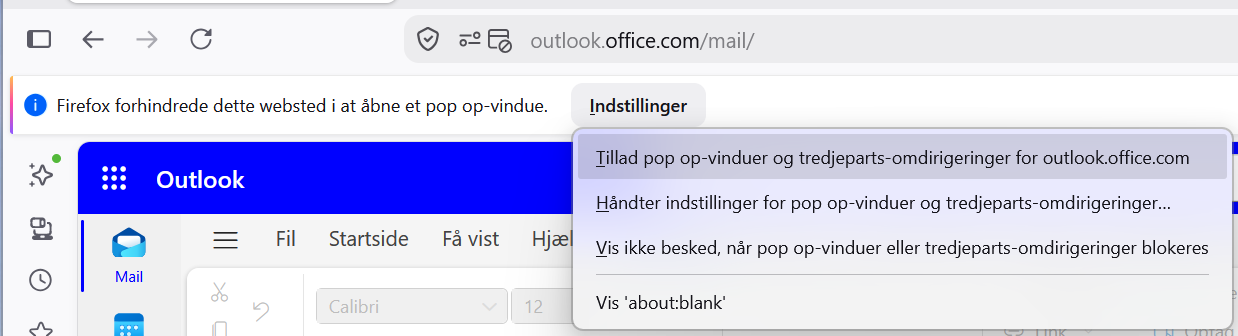
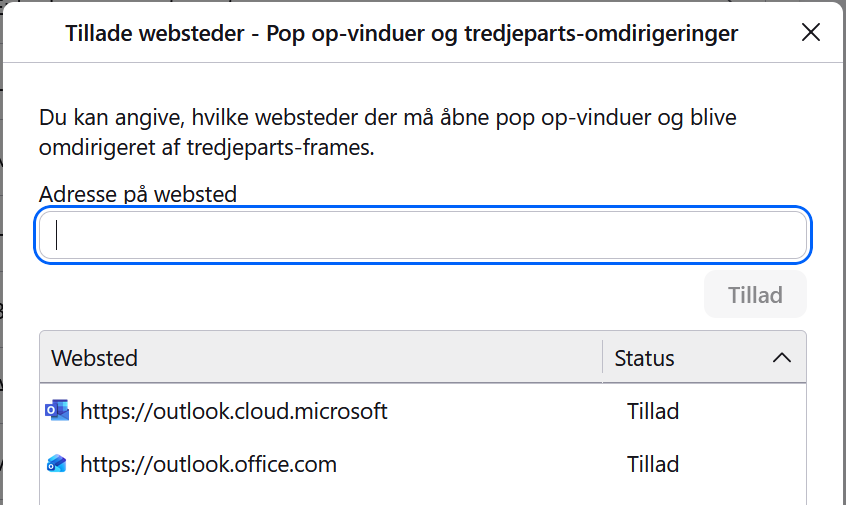
Alternatively, select Settings > Permissions and Data > Block pop-up windows and third-party redirects, and then select Manage exceptions. Add https://outlook.office.com and https://outlook.cloud.microsoft, and save the settings:
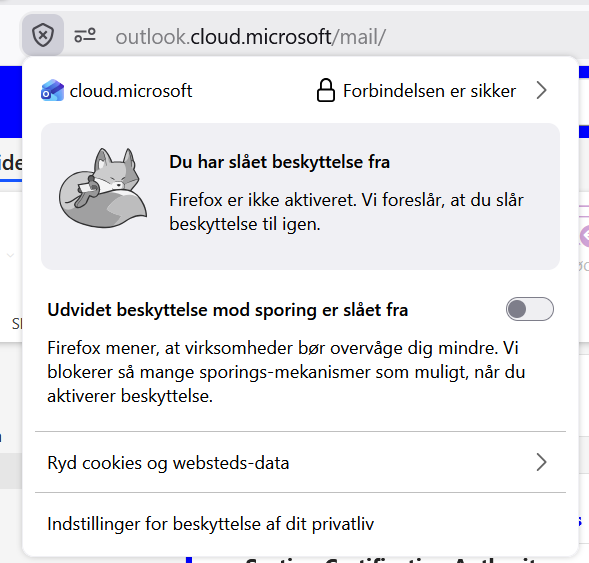
If you frequently see a validation pop-up window flashing briefly, you can also clear the Enhanced Tracking Protection is ON checkbox for a faster experience with the Add-in:
Finally, close the open email, open a new email, and wait for DPG Addin to display the correct "DPG Secure Communication is ready!" state:
