DPG Customer Portal
Release date: April 23, 2026
In the following, we describe the changes that have been made to all versions of Customer Portal that are still supported. Release notes are displayed with a version number, date of release, a brief heading, as well as a more detailed description of the new or altered functionality.
Certificate management and self-service for your own DPG solution
You can now manage certificates yourself in the Customer Portal.
Note
You can start managing certificates yourself, even if you have not previously managed certificates in Customer Portal. If you want to consolidate and manage both new and existing organization certificates in the new certificate management, your current certificates must first be uploaded to Customer Portal. We recommend that you upload your existing certificates to get the full benefit of the functionality.
-
When you renew existing Organization Certificates from MitID Erhverv, you install them yourself via Customer Portal.
-
Newly issued Organization Certificates are likewise installed via Customer Portal.
You no longer need to contact DPG Service Center to install new Organization Certificates.
You can install one or many certificates at a time.
By clicking on the information boxes at the top of the window, you can filter the certificate list to show only valid certificates, certificates that are about to expire, or invalid or expired certificates.
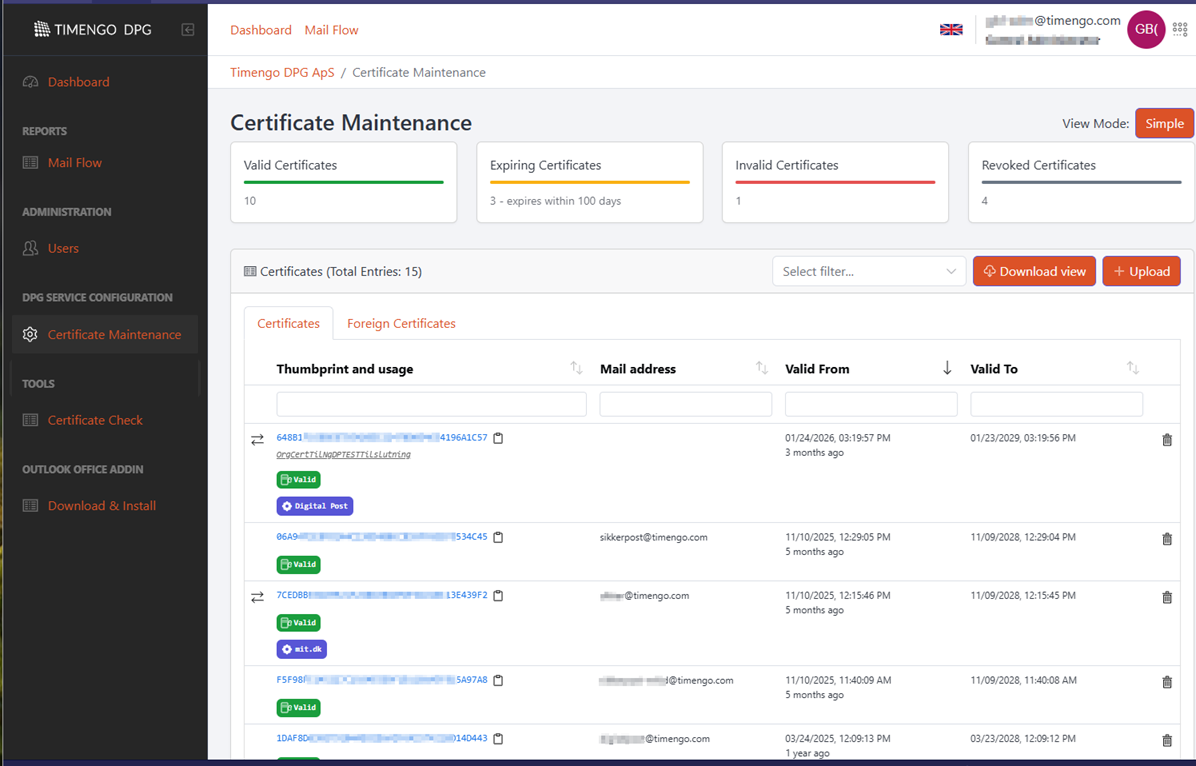
The certificate overview also helps you with information about the usage of your certificates, for example whether a certificate is used for integration with Exchange Online, Digital Post, mit.dk, or similar.
If you need to install a new certificate for, for example, Exchange Online integration, you can use the self-service to activate the new certificate as the new Exchange Online integration certificate.
Access to self-service
The self-service solution is only available via DPG's new Customer Portal at https://portal.timengodpg.com, and it is therefore very important to be aware of the following:
-
If you are not yet using the DPG Customer Portal, you need to be registered.
Use this web form, and we will make sure to register you on our Customer Portal. If you are not registered on the support portal, click the Create user button on the right side of the page.
Note: If you are unsure whether you are registered on the Customer Portal, you will be met with the message
Access Deniedwhen attempting to log in if you are not registered. -
If you are still using the old version of the Customer Portal at
https://portal.dpgapi.com, you need to be migrated to the new Customer Portal.Use this web form, and we will help you migrate to the new Customer Portal. If you are not registered on our support portal, click the Create user button on the right side of the page.
Note: If you are unsure whether you are registered in the old version of the Customer Portal, you will be met with a message stating that you are not registered when attempting to log in.
Help and guides
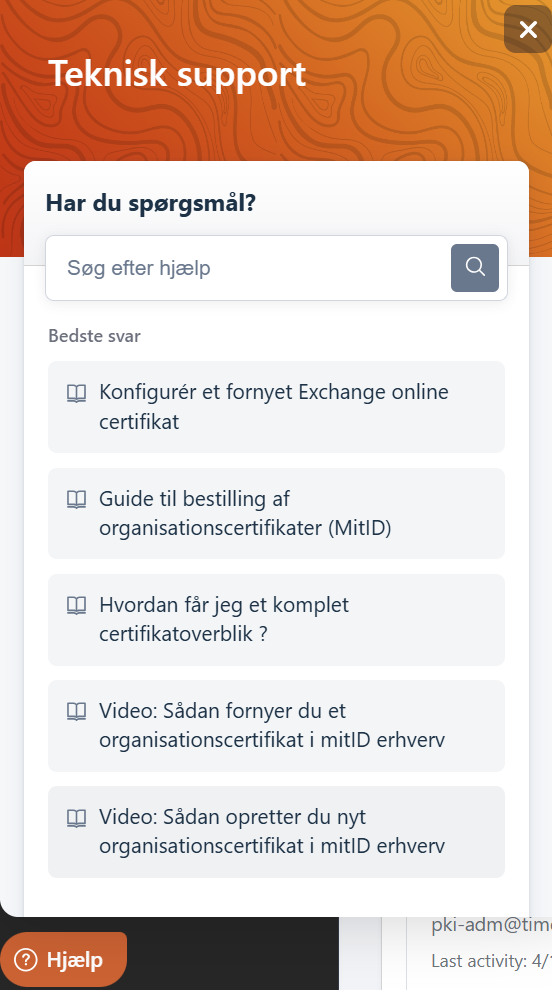
On the certificate management page, you will find a Help button in the bottom left corner of the Customer Portal.
Click the button to see descriptions and guides for tasks related to your Organization Certificates, including:
- How to create a new organization certificate in MitID Erhverv
- How to renew an organization certificate in MitID Erhverv
- Which certificates should I pay special attention to?
- Configure a renewed Exchange Online certificate
- How do I get a complete certificate overview?
- Configure a renewed Digital Post certificate
Customer Portal in multiple languages
The Customer Portal now includes the option to switch between Danish and English. Click the flag at the top to switch.